
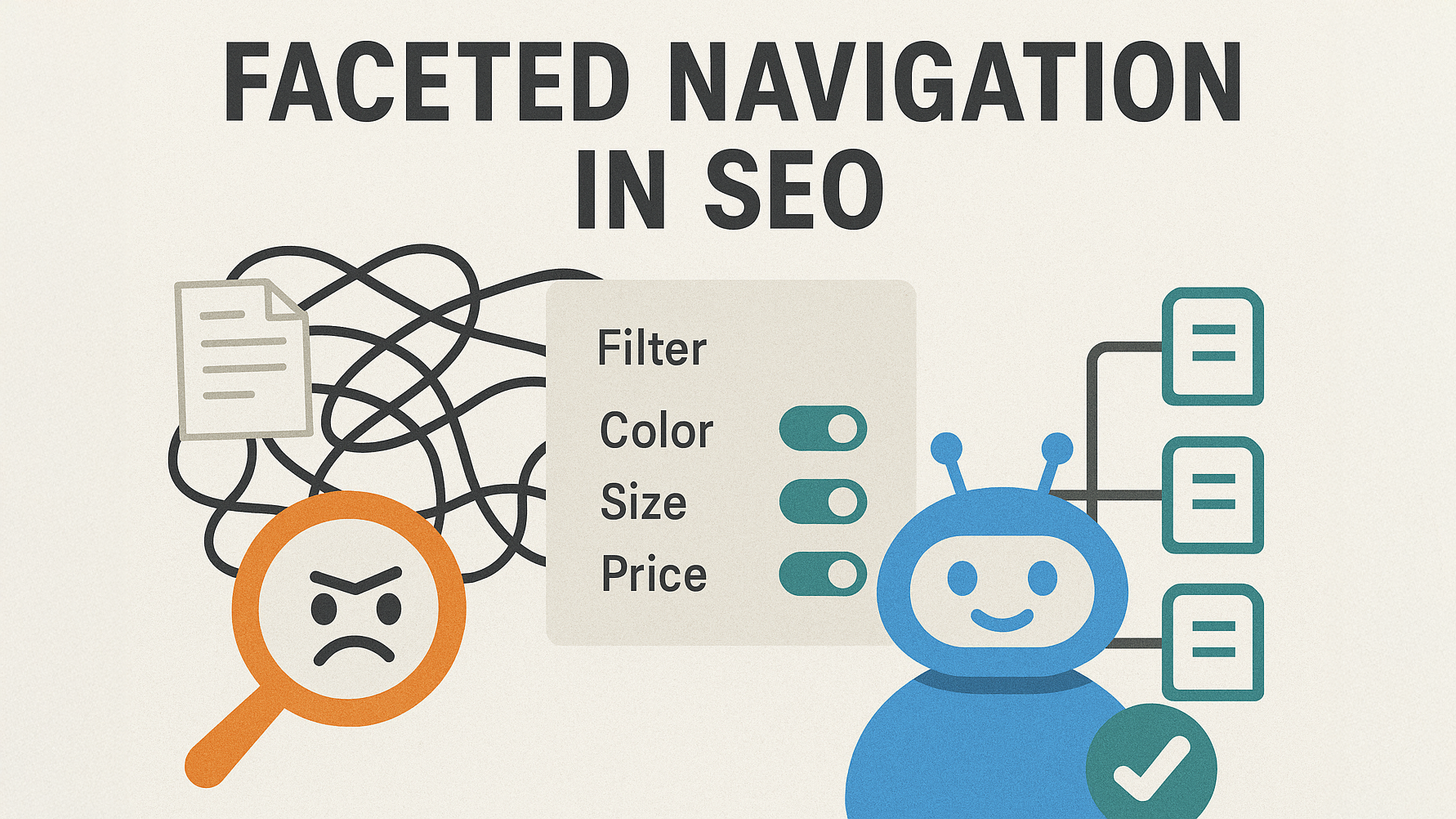
Faceted navigation is a way of organizing a website that lets users filter and narrow large lists of items (like products or articles) by choosing multiple attributes at the same time, such as price, color, size, brand, or rating. It is sometimes called faceted search or filtered navigation, and is especially common on ecommerce category and search result pages.
Faceted Navigation Definition
At its core, faceted navigation is a filtering system that lets users refine a list of items by selecting different attributes (facets) in any order they like.
Each facet represents one dimension of the items on the page, for example:
-
Color (black, blue, red)
-
Size (S, M, L, XL)
-
Brand (Nike, Adidas, Puma)
-
Price range (under 50, 50–100, over 100)
-
Rating (4 stars and up)
When a user selects one or more options (values) inside these facets, the product list or content list updates to show only items that match those choices. This is the faceted navigation definition in the simplest possible terms: a flexible, multi-attribute filter system for large sets of content.
If your site has many products, articles, properties, jobs, or any other items with multiple attributes, a faceted navigation system helps people quickly find exactly what they want without getting lost.
(Internal link idea: In a real site, this section would naturally link to a broader guide like “What Is Faceted Search?” or “Site Navigation Basics”.)
How Faceted Navigation Works
Faceted navigation usually appears as a panel of filters around a list of results, most often in a sidebar on desktop or in a collapsible panel on mobile. It can also appear as dropdowns above the product grid or inline elements on a search results page.
The basic flow
-
The site owner defines facets based on attributes of items (e.g., color, size, brand, category).
-
Each product or piece of content is tagged with values for those facets (e.g., “Color: Red”, “Size: 10”, “Brand: Nike”).
-
On a category or search page, the system shows filters for all available facets based on the current set of items.
-
When a user selects a filter, the result list updates and remaining filters may also update to show only valid combinations (so users avoid “zero results” dead ends).
-
In many implementations, each combination of filters also creates a unique URL, often using path segments or query parameters.
For example, on a shoe store:
-
User starts on /mens-shoes
-
Selects:
-
Color: red
-
Size: 10
-
Brand: Nike
-
The page content updates to “Men’s red Nike shoes, size 10,” and the URL might change to something like:
-
/mens-shoes?color=red&size=10&brand=nike
or a “pretty” path like:
-
/mens-shoes/nike/red/size-10/
The user does not need to understand any of this URL logic. They just see that the list shrinks to exactly what they want.
(Internal link idea: From here you might link to a more technical piece like “URL Parameters and SEO”.)
Faceted Navigation vs Other Navigation Types
Faceted navigation is not the same as a simple category tree, a basic filter, or the search box. Understanding the difference helps you design better information architecture.
-
Category navigation: A traditional menu like “Men → Shoes → Running Shoes” gives a single path into your catalog.
-
Search box: Users type what they want, and the engine returns results based on keywords.
-
Simple filters: One or two basic filters (like “sort by price” or a single dropdown) refine results in a limited way.
-
Faceted navigation: Users can combine many filters (facets) in any order, building complex queries like “Men’s running shoes, size 10, red, under 100, 4 stars and up, Nike only.”
Faceted navigation is more flexible than a strict category structure because it does not force users down a single pre-defined path. Instead, it lets them create their own path, based on the attributes that matter to them in that moment.
(Internal link idea: On a real site, this section could internally link to “Types of Website Navigation”.)
Key Terms in Faceted Navigation
When you discuss or design faceted navigation, several terms come up again and again.
Facet
A facet is a group of related values that describe one attribute of an item. Examples:
-
Color
-
Size
-
Brand
-
Price range
-
Material
-
Category
Each facet focuses on a single dimension, and together they form a flexible way to slice your catalog.
Facet values (filter options)
Facet values are the concrete options within a facet, like “Red” and “Blue” inside the color facet, or “XS, S, M, L, XL” inside the size facet. These are what users click or tap to filter results.
Filters
In practice, people often use filter and facet as the same idea. Technically, a filter is an applied choice (e.g., “Color: Red” is an active filter), while the facet is the broader group (“Color”).
URL parameters or path segments
Behind the scenes, each combination of filters is usually represented in the URL:
-
As query parameters (e.g.,
?color=red&size=10&brand=nike) -
Or as path segments (e.g.,
/nike/mens/red/size-10/)
These URLs are important for both user experience (sharing specific filtered views) and SEO (handling indexability and duplicates).
(Internal link idea: Connect this to a technical resource such as “What Are URL Parameters?”.)
Why Faceted Navigation Matters for UX
From a user experience standpoint, faceted navigation is a big win, especially on large sites.
Faster discovery
Instead of paging through hundreds of products, users can remove irrelevant items with a few clicks by applying facets like price, brand, or rating. This shortens the path from landing to finding a relevant item.
More control
Users can combine filters in whatever order matches their mental model: maybe size is most important, maybe color, maybe brand. Faceted navigation supports all these paths at once, unlike a fixed category tree.
Fewer dead ends
Well-built faceted systems only show filters that still have matching results, removing combinations that lead to zero products. This avoids frustration where users repeatedly apply filters and get empty pages.
Better conversion rates
Because faceted navigation helps people quickly reach items that fit their exact needs, it often improves engagement and conversions on ecommerce sites. Shoppers feel that the catalog “understands” them, which encourages purchases and reduces bounce rates.
(Internal link idea: Link from here to “How Navigation Impacts Conversion Rate”.)
Where Faceted Navigation Is Used
Faceted navigation appears anywhere you have a lot of similar items with shared attributes.
Common use cases include:
-
Ecommerce stores: Clothing, electronics, furniture, groceries, beauty products.
-
Marketplaces: Platforms like auction sites or classified ads, where category pages may have thousands of listings.
-
Real estate portals: Filters for price, location, property type, bedrooms, and more.
-
Job boards: Filters for role, location, salary, experience level, and contract type.
-
Large content libraries: Blogs, documentation, or media sites with tags, topics, formats, and authors.
Whenever a basic category list feels overwhelming, adding faceted navigation can make the experience more manageable and enjoyable.
(Internal link idea: Each of these bullets can link to specific case studies, for example “Faceted Navigation for Job Boards” at /blog/faceted-navigation-job-board/.)
SEO Challenges of Faceted Navigation
While faceted navigation is great for users, it can create serious SEO problems if you do not control it carefully.
URL explosion and crawl budget
Every unique combination of filters can generate a new URL. A category with five facets and ten options each can easily create thousands or millions of distinct URLs, many of which show very similar content.
Search engines like Google have a limited crawl budget for each site: a practical limit on how many URLs they will crawl in a given time. If your site wastes crawl budget on endless filter combinations, important pages (like your main category or core landing pages) may get crawled less often or not at all.
Duplicate and near-duplicate content
Most filtered views show a slightly modified version of the same core list. For example:
-
/mens-shoes?color=red&size=10 -
/mens-shoes?size=10&color=red
may show almost identical content, yet both are separate URLs. This leads to duplicate or near-duplicate content, which can dilute ranking signals and confuse search engines about which page is the primary version.
Thin pages and low-value combinations
Some filter combinations may result in very few products (or even zero products), creating pages with almost no content. These thin pages add noise to your index and can weaken the overall perceived quality of your site.
Complex canonical and indexing decisions
You need a clear strategy about which pages should be indexed and which should not. Without rules around canonical tags, noindex directives, or robots.txt, your faceted navigation can easily turn into a technical SEO mess.
(Internal link idea: Here you would naturally link to “Crawl Budget Optimization” and “Duplicate Content SEO Guide”.)
SEO Best Practices for Faceted Navigation
To enjoy the UX benefits of faceted navigation without damaging SEO, you need to combine smart design, URL control, and clear technical rules.
1. Decide which facet combinations deserve their own SEO pages
Some filter combinations match real keyword demand, like:
-
“red leather handbags under 100”
-
“running shoes for flat feet”
High-value combinations like these can become strong landing pages if you allow them to be indexed and support them with internal links. On the other hand, low-demand or extremely narrow combinations (e.g., “green size 3 socks with stripes and glitter”) usually do not deserve indexation.
Many SEO guides recommend:
-
Allowing core category pages and a limited set of high-intent facet combinations to be indexed.
-
Keeping most other faceted URLs out of the index to control crawl and prevent index bloat.
(Internal link: “Choosing SEO-Friendly Facets” could link to /blog/seo-friendly-facets/.)
2. Use canonical tags to point to the main version
For filtered pages that you do not want to rank separately, use canonical tags that point back to the main category or a preferred version. This tells search engines which URL should collect ranking signals, even if multiple variants exist.
For example:
-
/mens-shoes?color=red&size=10might have a canonical tag pointing to/mens-shoesif you do not want that specific combination to rank.
This reduces duplicate content problems and helps concentrate authority on your primary pages.
3. Apply noindex or block crawling for low-value URLs
For large, complex sites, you often need extra controls:
-
Noindex: Use a meta robots noindex tag on pages that should be crawlable (for discovery) but not indexed.
-
Robots.txt: Block crawling of certain parameter patterns or paths altogether, especially for obviously low-value combinations (e.g., sorting, pagination with many parameters, or combinations known to create infinite loops).
Some experts also recommend using URL parameter handling (either in search console tools or your own routing logic) to tell search engines which parameters are important and which are not.
(Internal link: This section could link to /blog/meta-robots-and-noindex/ and /blog/robots-txt-guide/.)
4. Use JavaScript-only filtering when appropriate
One strategy is to keep the main category URL the same and handle filtering on the client side (front-end) using JavaScript, without generating indexable URLs for every combination.
In this model:
-
The page content updates when filters are applied, but search engines only see the main category page or a limited number of server-rendered views.
-
You avoid creating millions of separate URLs, which simplifies crawl and index control.
This approach is particularly common on newer sites built with modern JavaScript frameworks, as long as you keep core pages crawlable and indexable.
5. Plan internal linking around priority facet pages
For the limited set of facet combinations that you do want in search results, internal links are crucial.
Best practices include:
-
Linking to important facet combinations from related category descriptions, buying guides, and blog posts.
-
Using clear, descriptive anchor text like “red leather handbags under 100” instead of generic “click here.”
-
Adding faceted “collections” to menus or curated lists when they represent real search demand and user needs.
This internal linking strategy helps search engines find and value the right faceted pages while ignoring noisy combinations.
(Internal link: From here, a real site would link to “Internal Linking for Ecommerce SEO”.)
UX Best Practices for Faceted Navigation
Beyond SEO, there are several UX rules that make faceted navigation effective.
Show only relevant facets
Faceted navigation should react to the current product set. When users select a category like “Shirts,” the system should update available filters so that only facets and values that apply to shirts are visible. This prevents confusion and empty results.
Use familiar controls
Common control types include:
-
Checkboxes for options where multiple selections are allowed (e.g., multiple colors).
-
Radio buttons or dropdowns for mutually exclusive options (e.g., size system).
-
Range sliders for price or rating ranges.
-
Color swatches or icons for visual attributes.
These patterns are widely recognized and make the interface easier to understand.
Make selections and results clearly visible
Users should always see:
-
Which filters are currently active.
-
How many items are in the result set.
-
A simple way to reset or remove filters one by one.
Clear feedback builds trust and makes the system feel predictable.
(Internal link: A UX-focused site might link this section to /blog/faceted-navigation-ux-patterns/.)
Simple Examples of Faceted Navigation
To make the faceted navigation definition even clearer, here are a few simple scenarios drawn from real-world patterns.
Online clothing store
On a “Men’s T-Shirts” category page, you might see facets like:
-
Size: XS, S, M, L, XL
-
Color: Black, White, Blue, Red
-
Fit: Slim, Regular, Oversized
-
Price: Under 20, 20–50, Over 50
-
Brand: Brand A, Brand B, Brand C
A user looking for a budget-friendly black slim-fit T-shirt in size M can select:
-
Size: M
-
Color: Black
-
Fit: Slim
-
Price: Under 20
The list shrinks to only those items, sparing the user from scrolling through hundreds of irrelevant T-shirts.

Real estate portal
On a property search page, common facets are:
-
Location (city, neighborhood)
-
Price range
-
Property type (apartment, house, land)
-
Bedrooms
-
Bathrooms
-
Features (garden, parking, balcony)
Someone searching for “2-bedroom apartments with parking in a specific district under a set budget” can quickly find matching listings by combining those facets.
Job board
A job seeker might filter by:
-
Role (Developer, Designer, Marketer)
-
Level (Junior, Mid, Senior)
-
Location (remote, city, country)
-
Salary range
-
Contract type (full-time, part-time, freelance)
Faceted navigation supports these combinations and allows the person to narrow down thousands of jobs into a short, relevant list.
(Internal link: Each example section could cross-link to deeper explainers like /blog/faceted-navigation-fashion/, /blog/faceted-navigation-real-estate/, etc.)
When You Should (and Should Not) Use Faceted Navigation
Faceted navigation is powerful, but it is not always necessary.
Good fit
You likely need faceted navigation when:
-
Your catalog or content library is large and diverse.
-
Items share many structured attributes (size, color, location, etc.).
-
Users often arrive with specific preferences (e.g., “I want a red jacket in size M under 100”).
In these cases, faceted navigation can dramatically improve findability and satisfaction.
Poor fit
You might not need faceted navigation when:
-
You only have a small number of products or posts.
-
Items do not share consistent attributes.
-
A simple category tree and search box are enough.
Adding complex filters to a small or simple catalog can clutter the page without delivering real value.
(Internal link: You could link to “Do You Really Need Faceted Navigation?” at /blog/do-you-need-faceted-navigation/.)
Common Mistakes to Avoid
A lot of SEO problems with faceted navigation come from avoidable mistakes.
Letting every combination index
If you allow all filter combinations to be fully crawlable and indexable, your site can explode into millions of URLs. Most of these pages bring no traffic and waste crawl budget.
Fix: Choose a limited set of SEO-friendly facet combinations and keep everything else de-prioritized with canonical tags, noindex, or crawl blocks.
Ignoring URL hygiene
Messy URLs with many parameters, duplicate parameter orders, or conflicting signals (canonical vs index vs robots rules) confuse both users and search engines.
Fix: Plan your URL structure in advance, keep parameters consistent, and document your rules.
Creating empty or very thin pages
Allowing filter combinations that often return zero or one result creates many low-value pages.
Fix: Hide filters that would lead to no results or adjust logic to only present valid combinations. Consider removing or noindexing patterns known to create thin pages.
Forgetting mobile UX
On mobile devices, a cluttered filter panel that is hard to open, scroll, or close can make faceted navigation frustrating.
Fix: Use mobile-friendly patterns like bottom sheets or full-screen filter views, with clear “Apply” and “Reset” actions.
(Internal link: This section can point to “Faceted Navigation SEO Checklist” at /blog/faceted-navigation-seo-checklist/.)
Practical Faceted Navigation Checklist
If you are designing or auditing faceted navigation, use this simple checklist:
-
Do you have many items with shared, structured attributes? If yes, faceted navigation is likely useful.
-
Are your key facets clearly visible and understandable (color, size, brand, price, etc.)?
-
Does the system hide or gray out options that would lead to zero results?
-
Are high-value facet combinations identified and supported with internal links and good on-page content?
-
Do you have a strategy for:
-
Canonical tags on filtered pages?
-
Noindexing or blocking low-value combinations?
-
Managing crawl budget and avoiding index bloat?
-
-
Is the faceted experience fast and easy to use on both desktop and mobile?
If you can honestly say “yes” to these questions, your faceted navigation is likely on the right track from both UX and SEO perspectives.
(Internal link: From here you might link to a downloadable resource like “Faceted Navigation Audit Template”.)
Final Thoughts: Faceted Navigation Definition in One Sentence
To restate the faceted navigation definition clearly: faceted navigation is a user interface pattern that lets people refine large lists of items by selecting combinations of attributes—such as price, size, color, brand, or location—so they can quickly reach exactly what they need, while you carefully control which of those filtered views search engines can crawl and index.
If you run a content-rich or ecommerce site, getting faceted navigation right is one of the most important steps you can take to balance great user experience with strong technical SEO.