
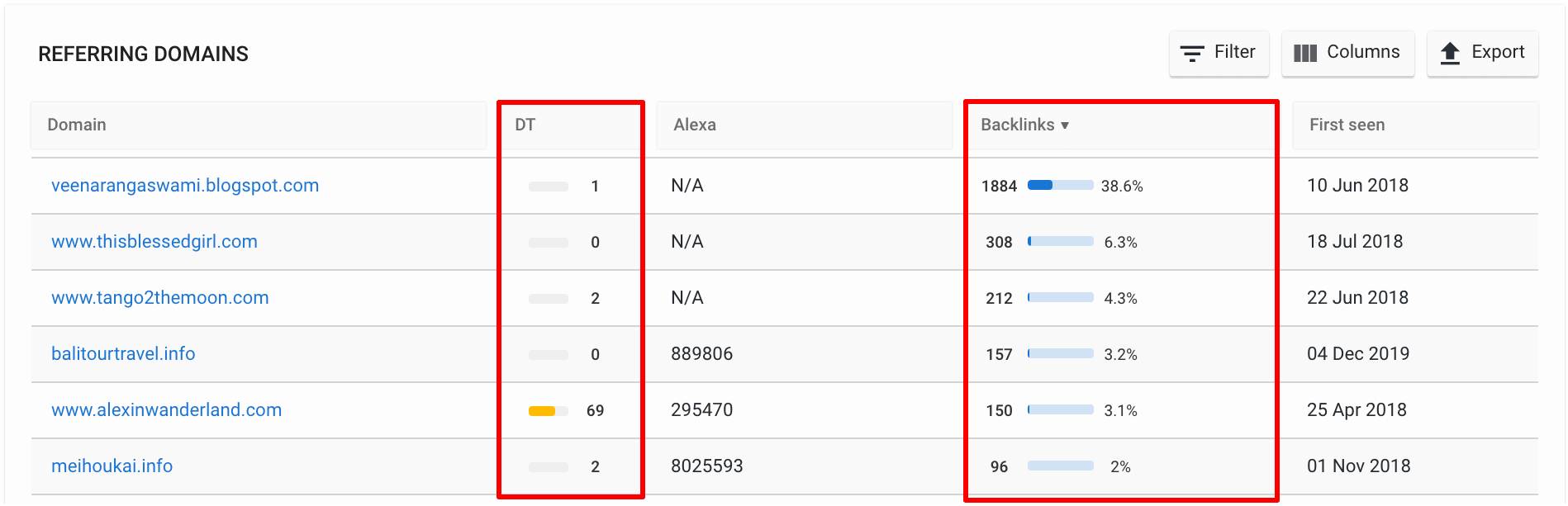
If you’re working on SEO, you’ll often hear people talk about referring domains and backlinks—but many beginners still ask: what is a referring domain? In simple terms, a referring domain is any external website that links to your site through at least one backlink. One website can provide multiple links (backlinks) to your pages, but it still counts as just one referring domain for your SEO profile.
Referring domains are one of the most important metrics in link building and are closely tracked by tools like Ahrefs, Semrush, and other SEO platforms. In this article, you’ll learn:
- Exactly what a referring domain is and how it differs from a backlink.
- Why referring domains matter for Google rankings and organic traffic.
- How to check your referring domains and analyze their quality.
- Practical strategies to build more high‑quality referring domains.

What Is a Referring Domain in SEO?
In SEO, a referring domain (also called a linking domain) is a referencing external website that has at least one hyperlink pointing to your site. Search engines use these links to understand how many other websites “refer to” your content, which is a strong signal of trust and authority.
For example:
- If Website A links to your homepage, Website A is one referring domain for your site.
- If Website A links to your homepage and a blog post, you still have only one referring domain from that site, but now you have two backlinks (individual links).
- If five different blogs each link to your site, you have five referring domains and at least five backlinks.
Many SEO resources explain it like this: backlinks are the individual links, while referring domains are the unique websites those links come from. This is why SEO tools often display both metrics: “Total backlinks” and “Total referring domains.”
Referring Domain vs Backlink: A Quick Comparison
| Concept | Definition | SEO Role |
|---|---|---|
| Backlink | A single hyperlink from one web page to another. | Each backlink passes some link equity; more links from quality pages can help rankings. |
| Referring domain | A unique external website that links to your site at least once. | Search engines often value a diverse set of referring domains more than many links from the same site. |
If you want a deeper breakdown, Ahrefs explains the difference between backlinks and referring domains in detail. Semrush also has a helpful guide on what referring domains are and how they affect SEO.
Why Referring Domains Matter for SEO
1. They Help With Trust and Authority
Search engines like Google treat links from other websites as votes of confidence for your content. When many different referring domains link to your pages, it signals that your site is useful, credible, and worth visiting.
High‑quality, relevant, and reputable sites carry more weight than low‑quality or spammy ones. That’s why SEOs focus not just on the number of links, but on the number of high‑quality referring domains pointing to their site.
2. They Boost Organic Traffic and Rankings
Studies and SEO analytics tools consistently show that pages with more referring domains tend to rank higher. For example, reports from Ahrefs indicate that the average top‑ranking result on Google has significantly more referring domains than lower‑ranking pages.
Referring domains also drive direct referral traffic. When users click a link from another site (for example, a blog, news site, or directory), they land on your page through that referring domain, which you can track in tools like Google Analytics and Adobe Analytics.
3. They Diversify Your Link Profile
Having a wide range of referring domains (blogs, news sites, educational pages, directories, and social profiles) makes your backlink profile look more natural and less spammy. Google’s algorithms pay attention to this diversity, so a healthy mix of different types of referring domains is a positive sign.
How to Check Your Referring Domains
1. Use SEO Tools
You can see your referring domains in popular SEO platforms such as:
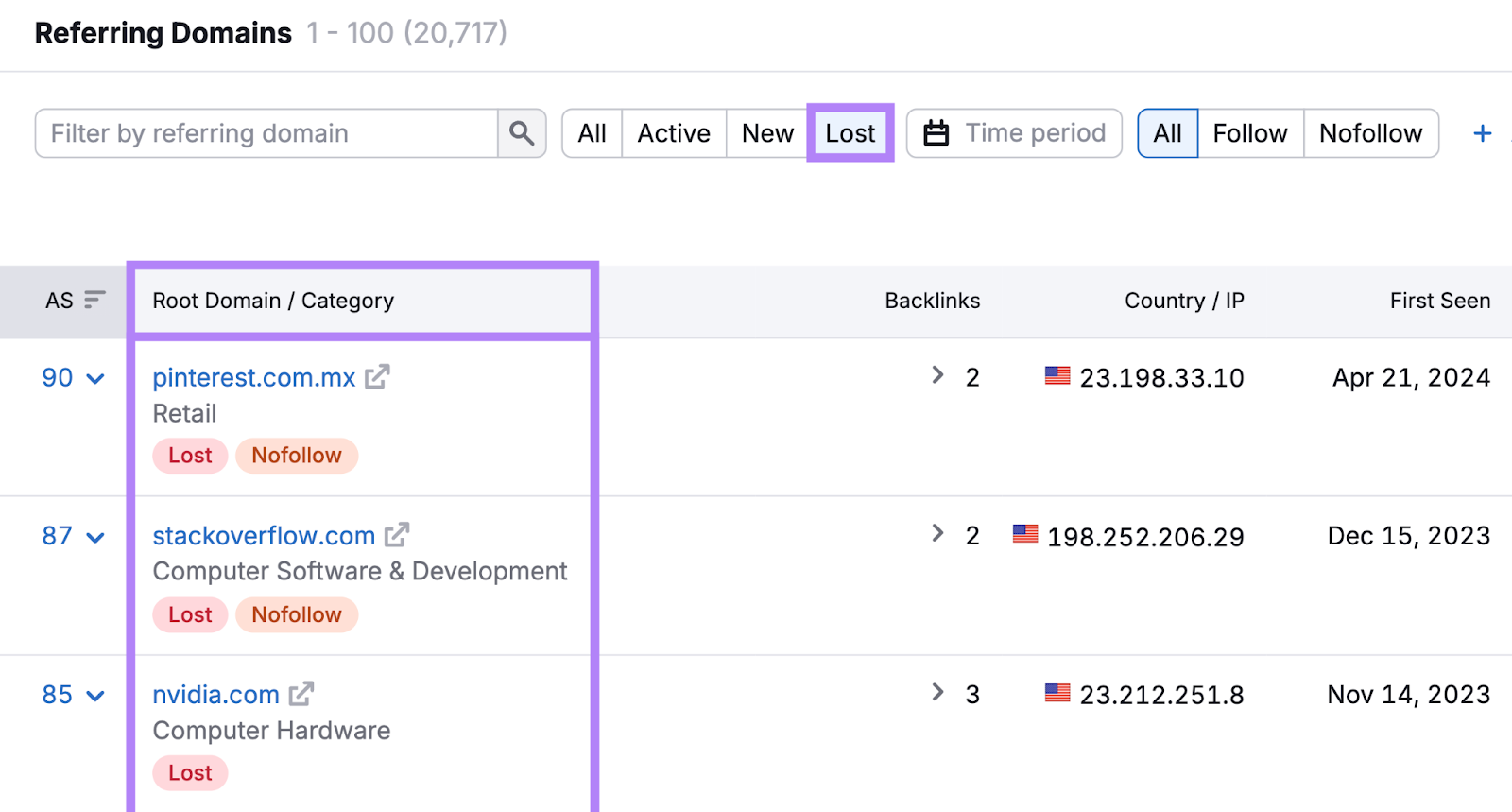
- Semrush – Under the “Backlink Analytics” section, you can view a list of all referring domains pointing to your site, along with metrics like domain authority and traffic.
- Ahrefs – The “Referring domains” report shows how many unique domains link to you and lists each one with its Domain Rating and total backlinks.
- Other SEO tools like Seranking, SEOptimer, and SEO.ai also provide referring domain (RD) reports.
These tools let you sort by quality, volume, and relevance so you can prioritize the most valuable referring domains.
2. Track Referral Traffic in Analytics
Google Analytics and similar tools have a report called “Referral traffic” or “Referring domains,” which shows which domains are sending visitors to your site through outbound links. This helps you see which referring domains are actually bringing users, not just links.
How to Build High‑Quality Referring Domains
1. Create Link‑Worthy Content
Most high‑quality referring domains will only link to genuinely useful, original, or data‑driven content. This includes:
- In‑depth guides and tutorials.
- Original research, case studies, or industry reports.
- Tools, calculators, or interactive content.
When other bloggers and journalists find content they want to cite or recommend, they naturally create a link from their own site to yours, giving you a new referring domain.
2. Use Strategic Outreach and Guest Posting
Outreach is one of the most effective ways to gain new referring domains. Examples:
- Reach out to bloggers in your niche and ask them to link to your resource if it adds value to their readers.
- Write guest posts for relevant industry sites, including a link back to your site in your bio or within the article (following the site’s guidelines).
Many SEO guides, such as Shopify’s explanation of referring domains, highlight outreach and content partnerships as key strategies.
3. Focus on Relevance and Quality
It’s much better to get a few links from highly relevant, authoritative sites than dozens from low‑quality or unrelated sites. For example:
- A blog in your industry, an educational site, or a trusted news outlet counts as a strong referring domain.
- Spammy directories, link farms, or irrelevant forums can hurt your SEO or be ignored by Google.
A useful definition from SEOptimer’s guide on referring domains explains that quality matters far more than raw numbers.
Referring Domains in Reporting and Analytics
In web analytics, the term “referring domain” can also describe the domain a visitor was on before clicking through to your site. This is useful for:
- Understanding which third‑party sites drive the most traffic.
- Identifying potential partnership or content‑sharing opportunities.
For example, if many users come from a specific blog or forum, that site is a strong referring domain in both the SEO and traffic sense.
Common Misconceptions About Referring Domains
- More backlinks always mean better rankings. Not true. Having many links from the same referring domain is less impactful than links from many different domains.
- All referring domains are equal. Google weighs authority and relevance heavily, so links from reputable, relevant sites are far more valuable.
- Referral traffic is the same as SEO value. Referral traffic shows visitors coming from external links, but the SEO value depends on the domain’s authority and how links are structured.
Useful Resources and Further Reading
If you want to dive deeper into the concept of referring domains, check out these beginner‑friendly guides:
- What Are Referring Domains? + How They Affect SEO – Semrush.
- What Is a Referring Domain? How Referring Domains Boost SEO – Shopify.
- What Are Referring Domains? How to Check Them and Get More – SEOptimer.
- A Simple Guide: What Is a Referring Domain? – Rank Math.
- What is a Referring Domain? Simple SEO Guide – TheDevBud.
Conclusion
So, what is a referring domain? It is any external website that links to your site through at least one backlink, and it is counted once per unique domain, not per link. Building a diverse set of high‑quality referring domains is one of the most effective ways to improve your site’s authority, rankings, and organic traffic.
Now that you understand the concept, you can use SEO tools to audit your referring domains, prioritize high‑quality links, and design a link‑building strategy that grows your site’s visibility over time.